Cardistry, taught properly
Learn the hands,
not the trick
Stakflow is a cardistry school in your pocket. Forty flourishes — fans, cuts, springs and spins — each one drawn out frame by frame so you can see exactly what every finger is doing.
See what is insideWho it is for
Anyone who has watched someone open a deck into a perfect arc and wondered how. There are no secrets in cardistry — nothing is hidden up a sleeve — so everything can be shown, slowed down and taken apart. Stakflow does exactly that, from the first grip to a sequence you built yourself.
What is inside
Grip Map
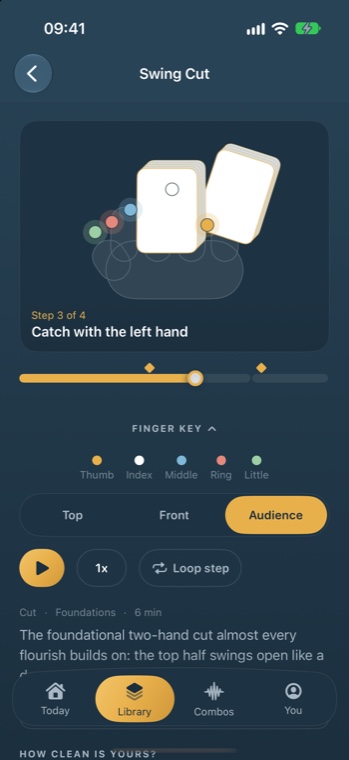
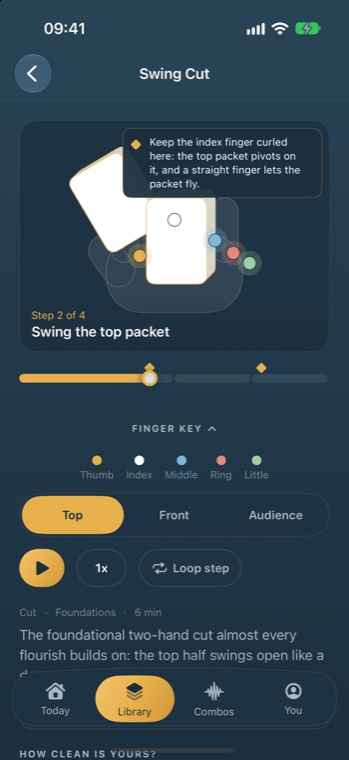
Drag through any move at your own speed. Coloured markers sit on each fingertip, and three camera angles let you watch from above, from the front, or from where your audience sits.
Drop points
Gold marks on the timeline sit exactly where cards usually hit the floor. Tap one and it tells you what to do differently.
Combo Composer
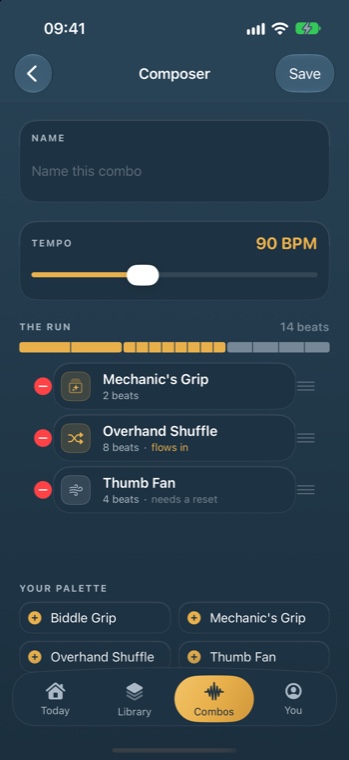
Once a move is clean it joins your palette. Lay moves onto a beat grid, pick a tempo between 60 and 140, and the app shows you which transitions flow and which need a reset.
Daily drill
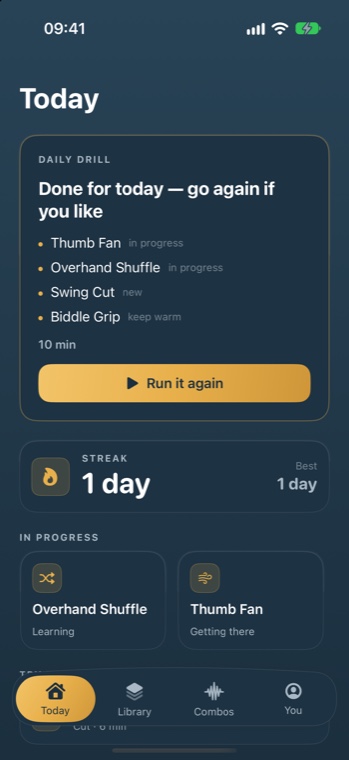
Five to ten minutes: two moves you are mid-way through and one you already own, so nothing you have learned goes quiet.
Skill tree
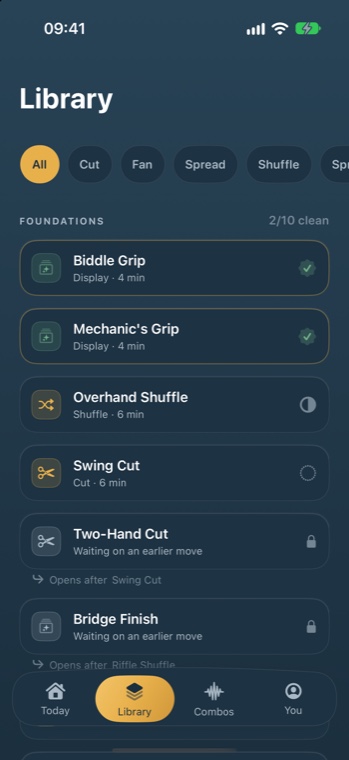
Four levels, forty moves. Everything is visible from day one, and a closed move tells you which earlier one opens it.
Deck Lab
Written guides on choosing a deck, keeping one alive, warming your hands up, and practising without picking cards off the floor.
What it looks like
Real screens from the app, not mock-ups. Swipe to see the rest.
How a session goes
Open the app, take the drill it offers, and count your repetitions with the big button so your eyes stay on your hands. Mark each move as learning, getting there, or clean — you are the judge, the app never scores you. When something is clean it appears in your combo palette, and the streak forgives one missed day a week without ever taking anything away.
Privacy, briefly
- No account. Nothing to sign up for, nothing to sign in to.
- Everything you do stays on your device. Your progress, combos and sessions never leave it.
- No analytics, no advertising, no tracking, and the app asks for no system permissions at all.
Works with the phone face down
Every move, animation and guide ships inside the app. Put the phone in airplane mode on a train and Stakflow behaves exactly the same.